
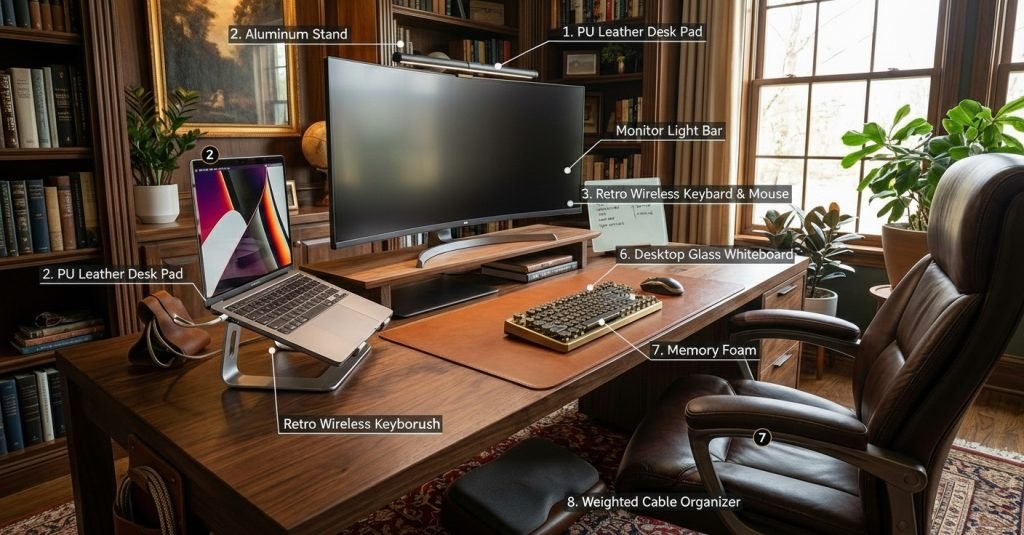
Let’s be honest for a second. The “temporary” work-from-home setup has become surprisingly permanent, hasn’t it? If your desk is still a chaotic mess of tangled wires, coffee rings, and uncomfortable angles, you’re not alone. I was there, too. A cluttered, uninspiring desk doesn’t just look bad; it creates a cluttered, unfocused mind, making the workday feel like an uphill battle.
Transforming your workspace into a place you actually want to be is one of the most powerful investments you can make in your productivity and well-being. The goal isn’t just to create a pretty, Pinterest-worthy setup, but a functional powerhouse that makes your work feel effortless.
I’ve done the digging and found 8 game-changing essentials on Amazon that perfectly blend beautiful aesthetics with smart ergonomics to completely upgrade your WFH experience.
(Full disclosure: This post contains affiliate links. When you buy through my links, I may earn a small commission at no extra cost to you. This helps me find and test more great products for you!)
Working from home can quickly turn chaotic—cluttered desks, tangled cables, and uninspiring setups that kill focus.
After testing and researching dozens of desk accessories, I’ve narrowed down 8 aesthetic desk essentials that genuinely improve productivity without sacrificing style.
Before You Upgrade Your Desk
Before buying new desk accessories, take a moment to evaluate your workspace. Measure your desk, decide on one aesthetic style, and focus on essentials first. A clean, intentional setup always beats a cluttered one.
1. The Foundation: PU Leather Desk Pad
Before you add a single gadget, lay the foundation. This isn’t just a mat; it’s the canvas for your entire workspace. A large leather desk pad creates an immediate zone of calm and control. It protects your desk, provides a smooth surface for your mouse, and visually anchors your keyboard and monitor, making everything look intentionally placed and professional.
- The Transformation: From messy surface to a defined, cohesive workspace.

2. The Neck Saver: Ergonomic Laptop Stand
If you end your day with a sore neck and tight shoulders, your laptop is the likely culprit. Staring down at a screen is an ergonomic nightmare. This sleek aluminum stand elevates your laptop to eye level, instantly improving your posture. It’s a simple change that your body will thank you for. Plus, the open design allows for crucial airflow, preventing your machine from overheating during back-to-back meetings.
- The Transformation: Say goodbye to “tech neck” and hello to all-day comfort.

3. The Vibe: Retro Wireless Keyboard & Mouse
Why should your most-used tool be boring? This is where work meets play. A retro “typewriter” keyboard adds a dose of personality that a standard black keyboard never could. The satisfying clack of the round keys makes typing feel fun again, and the wireless design eliminates cord clutter for a clean, minimalist look. It’s an upgrade that brings joy to the most mundane tasks.
- The Transformation: Turns a daily chore into a delightful sensory experience.

4. The Storage: Wood Monitor Riser
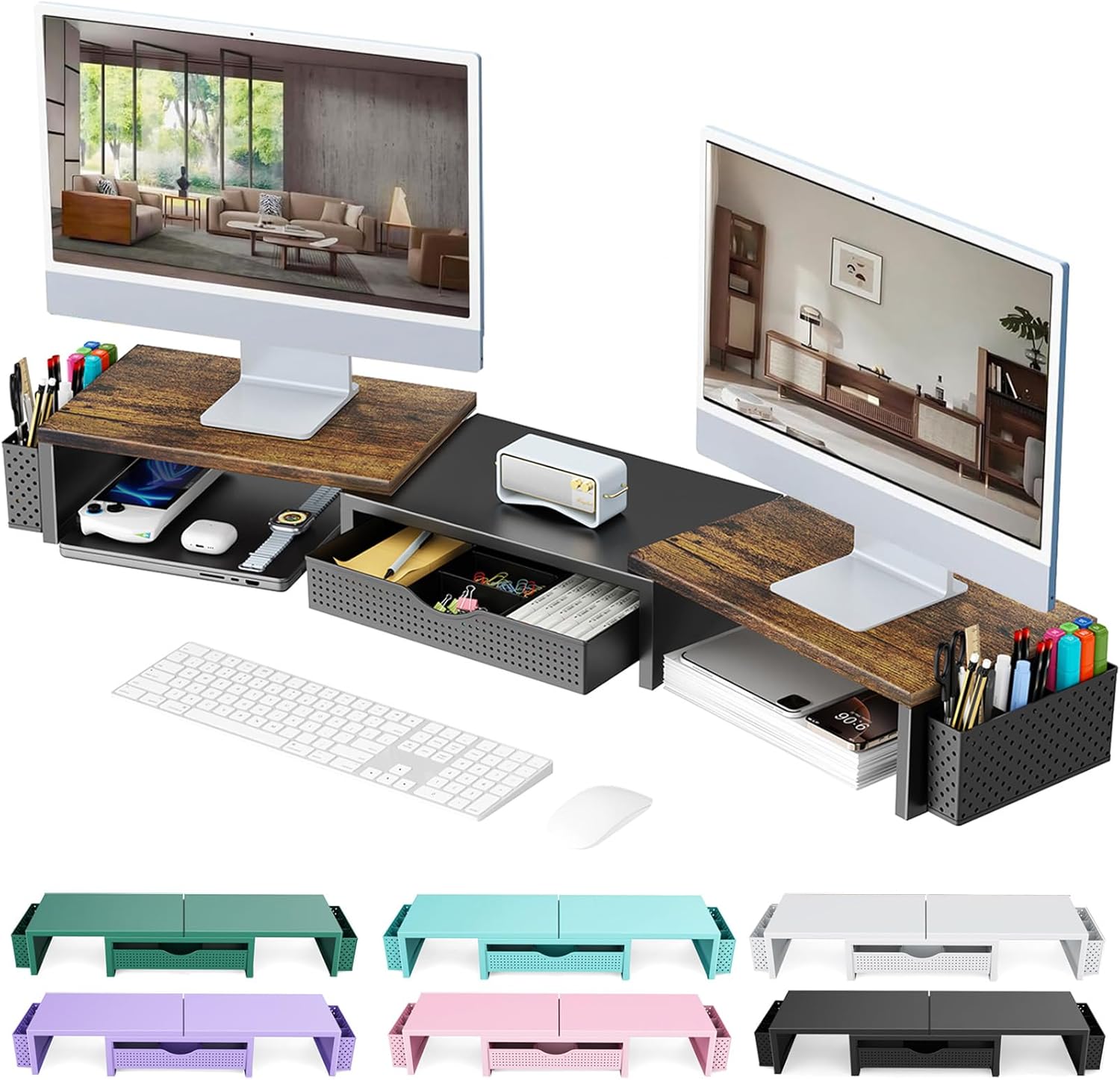
Feeling cramped? The secret to a tidy desk is using vertical space. A monitor riser doesn’t just lift your screen to a more comfortable height; it creates a valuable “garage” underneath. When your workday is done, simply slide your keyboard and mouse into the cubby. Your desk is instantly clear, allowing your mind to switch off. It’s the ultimate clutter-hiding hack.
- The Transformation: Instantly doubles your usable desk space and hides clutter.
5. The Focus: Monitor Light Bar
Desk lamps are bulky and create annoying screen glare. The monitor light bar is a brilliant, space-saving solution. It clips discreetly to the top of your monitor, casting a perfect, glare-free light directly onto your workspace—not onto your screen. It dramatically reduces eye strain during late-night work sessions and gives your setup a sophisticated, high-tech glow.
The Transformation: Professional-grade lighting with zero footprint on your desk.
Good lighting isn’t just about having a desk lamp — it’s about creating a comfortable visual environment. Natural light during the day, combined with focused task lighting and soft ambient light, reduces eye strain and keeps you energized for longer work sessions.
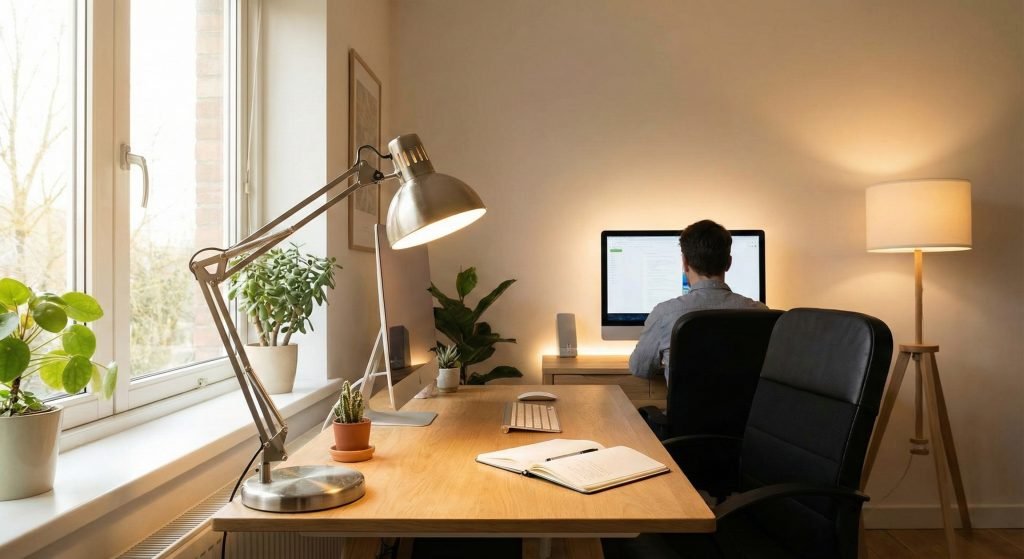
- Natural light: Place your desk near a window whenever possible.
- Task lighting: Use an adjustable desk lamp for focused work.
- Ambient light: Soft background lighting helps reduce screen contrast and eye fatigue.
When choosing lighting for your workspace, pay attention to color temperature. Neutral to cool white light (around 4000–5000K) is ideal for focused tasks, as it keeps you alert without causing eye strain. Warmer lighting works better as ambient light, helping balance contrast and reduce visual fatigue during long work sessions. A well-lit desk isn’t just easier on your eyes — it directly supports better concentration and sustained productivity.
Tip: Avoid placing strong light sources directly behind your screen to minimize glare.

6. The Brain Dump: Desktop Glass Whiteboard
Is your monitor framed by a halo of colorful sticky notes? This is your elegant solution. This small glass whiteboard sits neatly between your keyboard and monitor, serving as the perfect spot for jotting down daily to-dos, quick notes, and phone numbers. Best of all, the top lifts to reveal a hidden storage compartment for pens and clips. It’s organization at its smartest.
- The Transformation: Replaces chaotic paper notes with a single, stylish command center.

7. The Comfort: Under Desk Foot Rest
True ergonomics goes beyond your chair. An under-desk footrest is a secret weapon for comfort. Elevating your feet on this memory foam pillow improves circulation and relieves pressure on your lower back, making those marathon work sessions far more bearable. You can’t see it, but you will absolutely feel the difference.
- The Transformation: A small, invisible change that provides immediate, all-day physical relief.

8. The Cord Tamer: Weighted Cable Organizer
There’s nothing more frustrating than your phone charger slipping behind the desk for the tenth time. This weighted silicone holder is the simple, genius fix. It sits firmly on your desk and grips your essential cables, keeping them exactly where you need them. No more fishing around on the floor. It’s a tiny detail that solves a massive daily annoyance.
- The Transformation: Ends the constant “cable hunt” for good.

Log Off With a Clear Desk and a Clear Mind
Creating a workspace you truly enjoy isn’t about extravagance; it’s about making intentional choices that support your work and well-being. These small, thoughtful upgrades can make a world of difference in how you feel at the end of the day.
You don’t need a complete desk makeover overnight. Start with one or two essentials that match your workflow, and build from there. A calm, aesthetic workspace isn’t about perfection—it’s about intention.
Now, I’d love to know: What’s the one item that has made the biggest difference in your own WFH setup? Share it in the comments below